VILAR

Download VILAR

Install the app and press one button — the first 24 hours are free, no card needed.

iPhone

On the App Store, 24 hours free after install. Buy access in the app through the App Store, or on the website — then it is tied to your Apple ID.

Download on the App Store

iPhone in Russia? You can install VILAR. How to install

Buy access for iPhone on the website

Android

On Google Play, 24 hours free after install. Buy access in the app, or on the website — then you receive a code for the app.
Actual app screen · Android
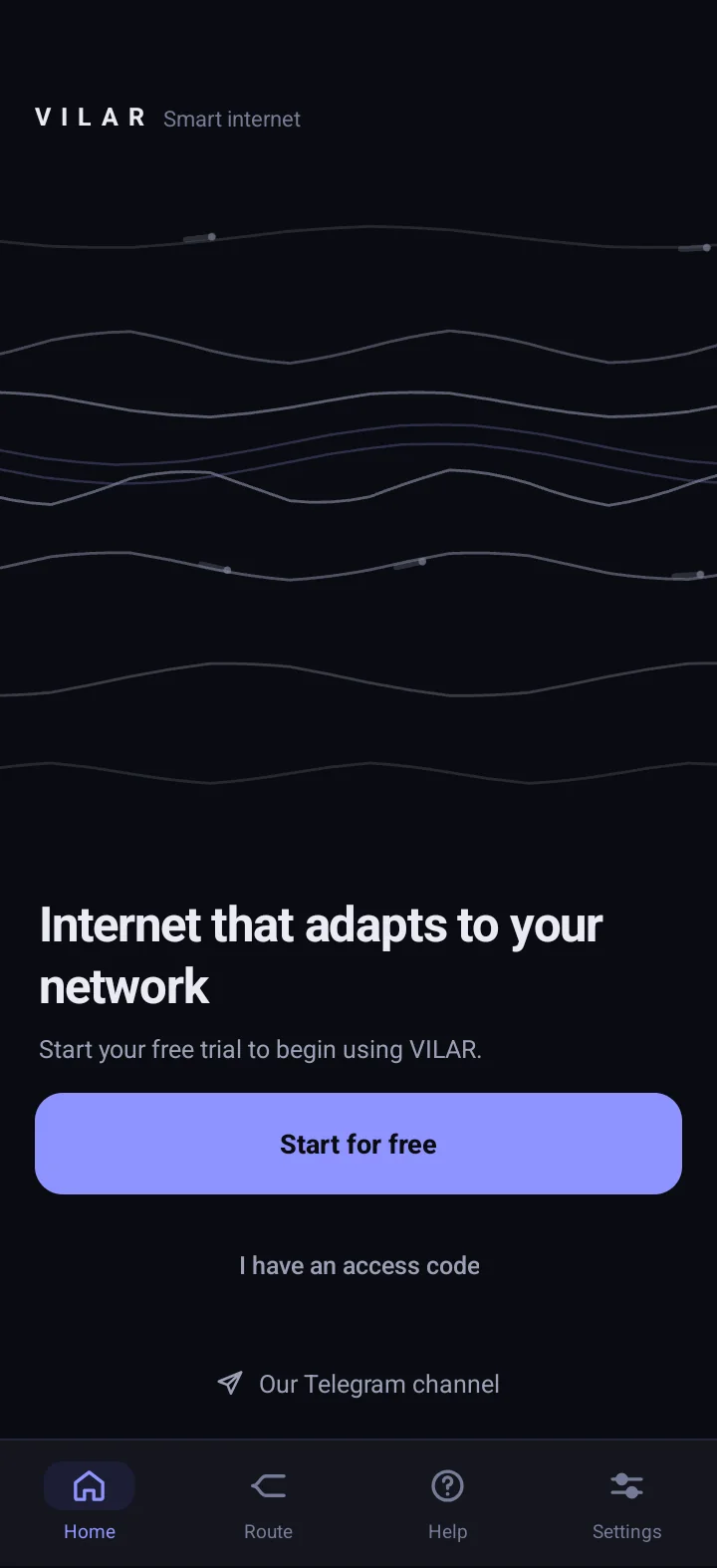
The VILAR app on Android: the first screen with the “Start for free” button
  1. 01

    The first screen

    One “Start for free” button — and your 24 hours are already running.

  2. 02

    Connected

    Status in plain words: your internet is running and VILAR keeps a working path.

  3. 03

    The term is always visible

    Trial or paid access — the end date sits on the home screen, with no auto-charges.

Actual app screen · Android

VILAR news

New versions, updates and network status — in the official Telegram channel. Questions go to support.

Installing on iPhone

VILAR on an iPhone from Russia

VILAR is on the App Store in more than 160 countries. If the Russian App Store does not show the app, change your Apple Account region — it is an ordinary install from the App Store.

Only the official App Store — no third-party files, profiles or jailbreak.

For accounts from Russia it is now simpler

Since April 2026 a card from the new region and cancelling subscriptions are usually not needed. What matters is that your Apple Account balance is empty.

How to change the region

  1. Open Settings and tap your name.
  2. Tap Media & Purchases. You might need to sign in to your Apple Account.
  3. Tap Country/Region.
  4. Choose a country where VILAR is available, tap Continue and Agree, fill in the details and tap Done.
  5. Come back here and tap “Download on the App Store”.

It usually takes a few minutes when the account is ready for a region change.

Bonus: After the change the App Store shows the catalogue of the country you chose — other apps that are not in the Russian region may be available there too.

App availability depends on the country you choose and on the developer.

Can’t change the region?

Apple may not let you change the region if:

  • there is money left on your Apple Account balance — spend it, and if the remainder is less than any purchase, Apple Support can clear it;
  • a subscription blocks the change — for accounts from Russia this usually does not get in the way now;
  • purchases or refunds are still pending — pre-orders, movie rentals, refunds;
  • you are in a Family Sharing group;
  • Apple asks for a payment method for the new region — for accounts from Russia this is usually not required now.

What to do in each case, Apple explains here: Apple’s official instructions (opens in a new tab)

VILAR — smart internet